
The apartment has a table, so the owner assumes guests will have somewhere to work. Only when they set up their laptop do they discover there is no room for a mouse, the chair will not fit under the table, and the bed is visible in the background during calls. The furniture alone does not make a comfortable workspace.
To set up a workspace in a rental apartment, a stable surface, a suitable chair, glare-free lighting and a tidy background for calls are usually enough. What matters most, however, is where everything is placed: guests should not have to choose between working and being able to eat a meal or move freely through the room.
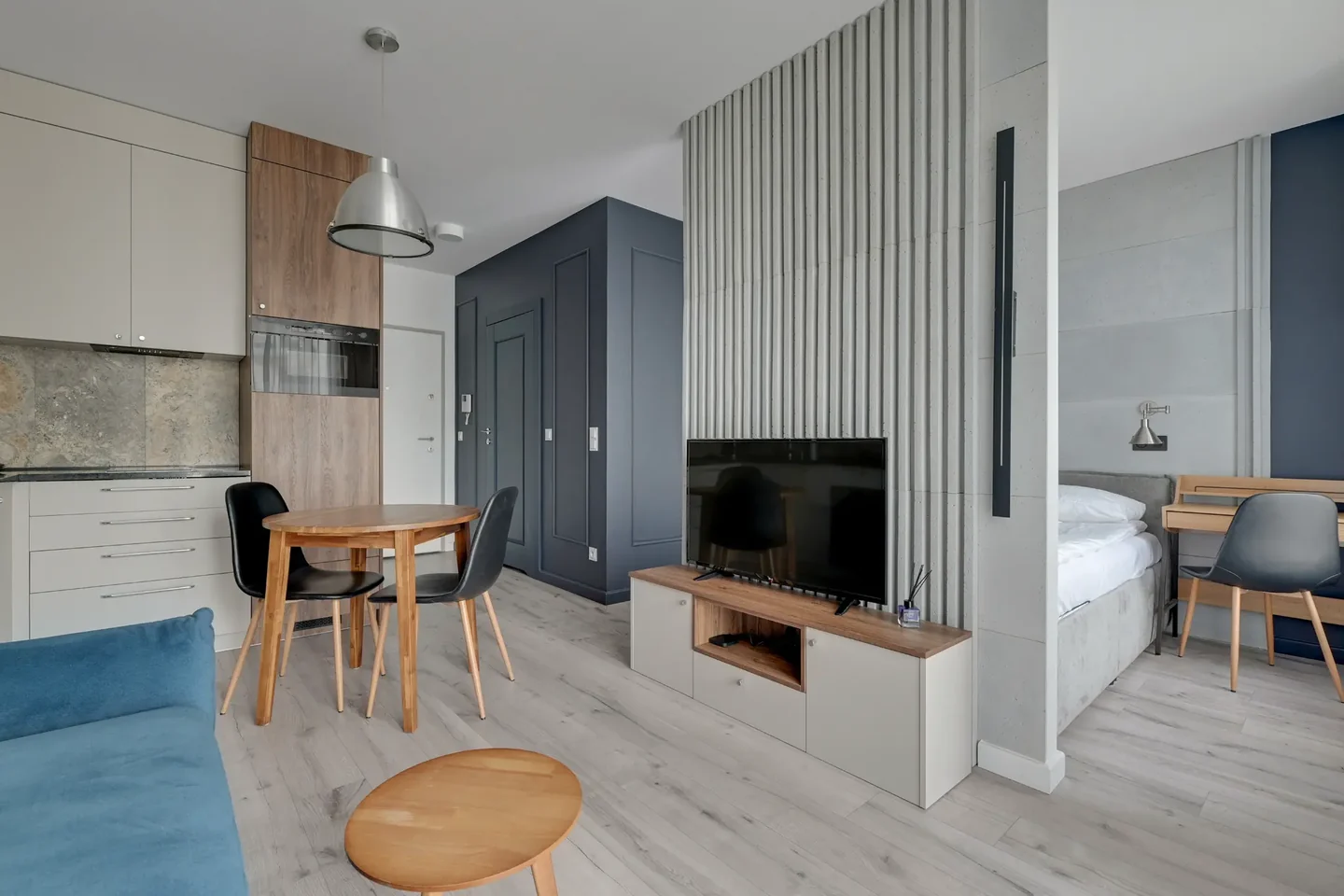
First, decide whether a table will be enough
Replying to a few messages and working at a computer for longer periods are two different scenarios. A dining table may be enough for the first. However, if the property is also intended for guests staying on business trips, it is worth checking whether they can spend more time working there comfortably and leave their things set up.
You do not need to buy a desk straight away. First, sit at the existing table with a laptop, mouse and notepad. Check whether you can use them without having to move everything around whenever you need to do something. A round tabletop can serve this purpose too, but how useful it is depends on the available surface area and the arrangement of the legs. Do not assume that every seat at the table is equally comfortable.
Choose the tabletop with legroom in mind
A narrow console table may look good in a photo, but it does not always leave enough room to open a laptop and rest your forearms. A large desk, on the other hand, can take up space needed to unfold a sofa bed. Before choosing a piece of furniture, mark its outline on the floor and check the layout with the chair pulled out as well.
Shelves, storage compartments or structural elements should not get in the way under the tabletop. Also check whether the surface is stable when you are writing and whether there is room for a lamp. It is better to choose a simple piece of furniture with genuinely usable surface area than an attractive console whose decorations have to be removed every time.
If you are setting up a workspace from scratch, include it in the interior design before ordering fitted furniture. That way, you can make the work surface fit the walkway and the other furniture, instead of trying to find a spare corner after the interior has been arranged.
Test the chair with the intended work surface
A stool at a kitchen island and a soft lounge chair are not obvious substitutes for a desk chair. Consider the setup as a whole: can you get close to the table, rest your back and position your arms without constantly adjusting your posture? Armrests may look comfortable but prevent the chair from sliding under the table.
In its ergonomic recommendations, OSHA points to back support and the ability to rest your feet flat on the floor or on a footrest. An adjustable seat height makes it easier to fit the chair to the user, especially when different people will be using it. 1 These are guidelines for choosing furnishings, not confirmation that one model will be suitable for every guest.
For a workspace intended for longer periods of work, it is therefore worth considering an adjustable chair. For a table used occasionally, at least check the seat height and back support in practice. Do not buy based only on a product photo.
Lighting: check it during the day and in the evening
A workspace by the window is not always the best option. OSHA recommends positioning the screen at a right angle to the window, limiting glare, and placing the lamp so that its light is not reflected on the screen. A blind or curtain that lets you control daylight may help. 2
In an apartment, this means doing a simple test: open your laptop in the intended spot during the day, then sit there with the lights on. Check the screen and a paper notepad. If the lamp takes up most of the tabletop, consider moving it elsewhere rather than giving up workspace. Do not buy another accessory before checking the position of the existing lighting.
Plan the background for calls from the camera’s point of view
Sit at the work surface and turn on the camera preview. This will show you more than looking at the room from the doorway. The frame may include the bed, the bathroom entrance or a route that another guest needs to use. Simply keeping the desk tidy will not solve this problem.
The simplest background is a plain wall or a tidy section of the interior. It does not need special decorations or a corporate look. Sometimes it is enough to move the chair and use the other side of the table. Do not treat a virtual background as a substitute for positioning the workspace sensibly: guests should be able to make a call without one too.
Do not take away space for eating and relaxing
Consider a hypothetical studio for two people. If one person works at the only table, the other has nowhere to eat breakfast. A small, separate work surface may resolve this conflict, but only if the chair, when pulled out, does not block the way to the bed. Placing the workspace in the sleeping area, in turn, will make it harder to reconcile a morning call with the other person’s need to rest.
Not every layout can accommodate every need. In a small property, it is more sensible to provide a good spot for occasional work and describe it honestly than to promise a home office. Similar furnishing mistakes are best assessed in the context of the whole apartment, not as individual purchases.
Buy after testing, not before
Before ordering furnishings, do a quick test:
- Set up a laptop, mouse and notepad on the intended work surface.
- Sit in the chosen chair and check whether you can pull it in close.
- Check for glare and the camera frame.
- Pull the chair out and check the walkway and access to the other furniture.
The test should lead to a specific decision: keep the table, replace the chair or set aside a separate work surface. Do not add office accessories just to make the workspace look more professional. In an apartment, a good setup should work well and not get in the way of relaxing when work is done.
If you are considering entrusting GrandRent with rental management, let’s discuss the specific property and whether its layout allows for a practical workspace. The initial conversation about entrusting us with rental management is free of charge. Any design work or other additional services have a separately agreed scope and fee.
Technical sources
The article explains the rules and questions you should ask the operator. Rental results and cooperation terms require analysis of the specific apartment.