
The new sofa is already in the living room, but the listing still shows the old one. The owner may think the difference is only a matter of colour. But a guest may see the photo as information about sleeping arrangements, the size of the room, or access to the balcony. That is why replacing furnishings should involve more than accepting the delivery: it should also include checking how the apartment is presented.
What should you update in a listing after changing the apartment’s furnishings? First and foremost, the photos showing the changed item, the related parts of the description, and the amenities list. Then it is worth checking the guest instructions, the impact of the change on existing bookings, and the listing as it appears on every channel in use. Simply sending the information to your property manager does not confirm that everything has been updated.
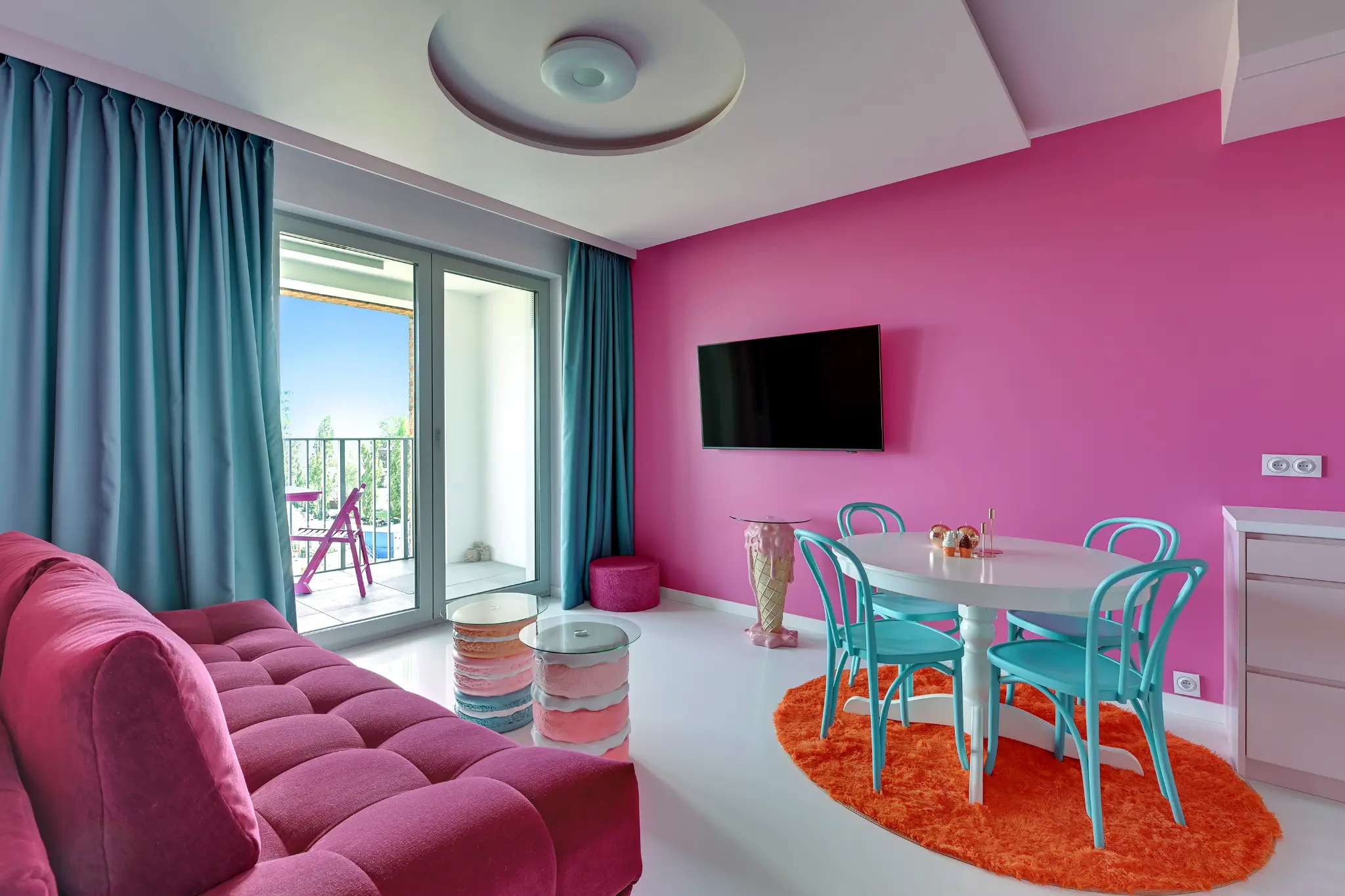
Assess the change by its function, not its purchase price
To start, compare the situation before and after the replacement. What matters is not just the appearance of the new item, but also what guests can do with it. A different coffee table will usually require photo updates. Replacing a sofa bed with a sofa that does not convert may change the number or arrangement of sleeping places. These two situations should not be treated as the same minor adjustment.
In a hypothetical apartment, the owner replaces a large table with a smaller one to create more space. If the new table seats two people instead of four, the description of the dining area should also be checked. The price of the furniture does not determine how significant the change is. What matters is the difference between what the listing shows and what the guest will actually find.
Replace photos that show the outdated apartment
Adding one new photo at the end of the gallery is not enough. The old sofa may still appear in the cover photo, a wide shot of the living room, and a photo of the passage to the kitchenette. Review the entire gallery for images of the changed item. Photos that are no longer current should be replaced or removed rather than leaving two conflicting versions of the interior.
The new photo should show not only the piece of furniture but also where it sits in the room. If the layout has changed, a wide shot will be useful; for new equipment, a clear close-up may also help. Check the photo captions: information about a sofa bed should not remain under a photo of a model without that feature.
Not every replacement means a full photo shoot is necessary. If the remaining photos still accurately show the apartment, it is enough to add the necessary shots. If the overall character of the living room has changed, it is worth discussing a broader listing presentation rather than combining inconsistent photos of the old and new decor.
Update the description wherever the promise has changed
Look through the description for information related to the replaced furnishings. It may concern their appearance, how they are used, or a specific function: working at a desk, storing belongings, or preparing meals. If the desk has been removed, the sentence about a dedicated workspace needs to change, even if a laptop can be placed on the dining table.
There is no need to rewrite the entire description from scratch. The guide writing an accurate description explains how to create clear copy. The task here is narrower: find every passage that is no longer true after the physical change and replace it with information that reflects the current situation.
Also check the listing title and its short highlights. If the removed item was its main selling point, a correction buried further down in the description does not resolve the contradiction. Do not add new benefits based on the appearance of the equipment alone; confirm its functions first.
Check amenities and usage instructions
The written description and the amenities selected in the listing need to be checked separately. Airbnb has a dedicated amenities section and a preview of changes visible to guests 1. So correcting a paragraph about the kitchen should not replace checking the information about its equipment. On other channels, check which fields are available without assuming that the editing process is identical.
The new item should be ready for use before it is presented as available. In a hypothetical case, a dishwasher that has been ordered is still waiting to be installed. Delivery alone is not a good reason to add this amenity to the listing.
After replacing an appliance, check the guest instructions too. Directions for the buttons on the old coffee machine or instructions for starting the previous washing machine may no longer be useful. The owner should give the property manager information about the new model and the manufacturer’s manual, if available, rather than assuming that it works the same way.
Take guests with existing bookings into account
Updating the listing helps with future bookings, but it does not automatically resolve the situation for people who have already chosen the apartment. According to the Airbnb Help Center, guests with a pending or confirmed booking do not see later changes to the description or amenities. If an amenity they expected has been removed, the platform recommends contacting the guest promptly 2.
That is why a functional change should also be discussed with the property manager in the context of upcoming stays. Changing the colour of the chairs is different from removing a sleeping place. Do not assume that an updated gallery has notified everyone who needs to know. The next steps should be agreed for the specific booking and the relevant channel.
Report the change in a form that can be checked
Instead of sending a message saying “the living room has been refreshed,” prepare a brief report. It should include:
- what was removed and what replaced it;
- when the new furnishings will be ready to use;
- which functions, dimensions, or sleeping places have changed;
- current photos and the information needed to update the description and instructions.
Agree with the property manager who will update each place where the apartment is presented and how completion will be confirmed. Do not assume that editing one listing will update the others. A useful confirmation identifies the channels that have been updated, the date they were checked, and any items that are still awaiting changes.
Close the task by checking the listing as it appears to guests
Finally, open the listing as a guest would. Compare the cover photo, gallery, description, and amenities. Do they all show the same interior layout? Is there an old photo or a sentence promising an item that has been removed? Only after this check can the update be considered complete.
If you are planning to change the furnishings or are looking for apartment management in Trójmiasto, talk to GrandRent about your specific property and working with a property manager. The initial conversation about entrusting your property to us for rental management is free of charge. You can share the current photos and planned changes to discuss the scope of further work and how listing updates will be agreed.
Technical sources
The article explains the rules and questions you should ask the operator. Rental results and cooperation terms require analysis of the specific apartment.