
An owner is preparing an apartment listing and sees a long list of boxes: parking, gym, air conditioning, step-free access. The apartment has some of these features, while others are remembered from the development presentation. Can you select everything located at the same address?
No. Before adding an amenity, you need to confirm three things: that it actually exists and works, that guests staying in this particular apartment can use it, and that it matches the meaning of the field on the platform you have chosen. A photo can help document the equipment, but it does not establish the rules for access. If you are unsure, it is better to clarify first than to make a promise simply by checking a box.
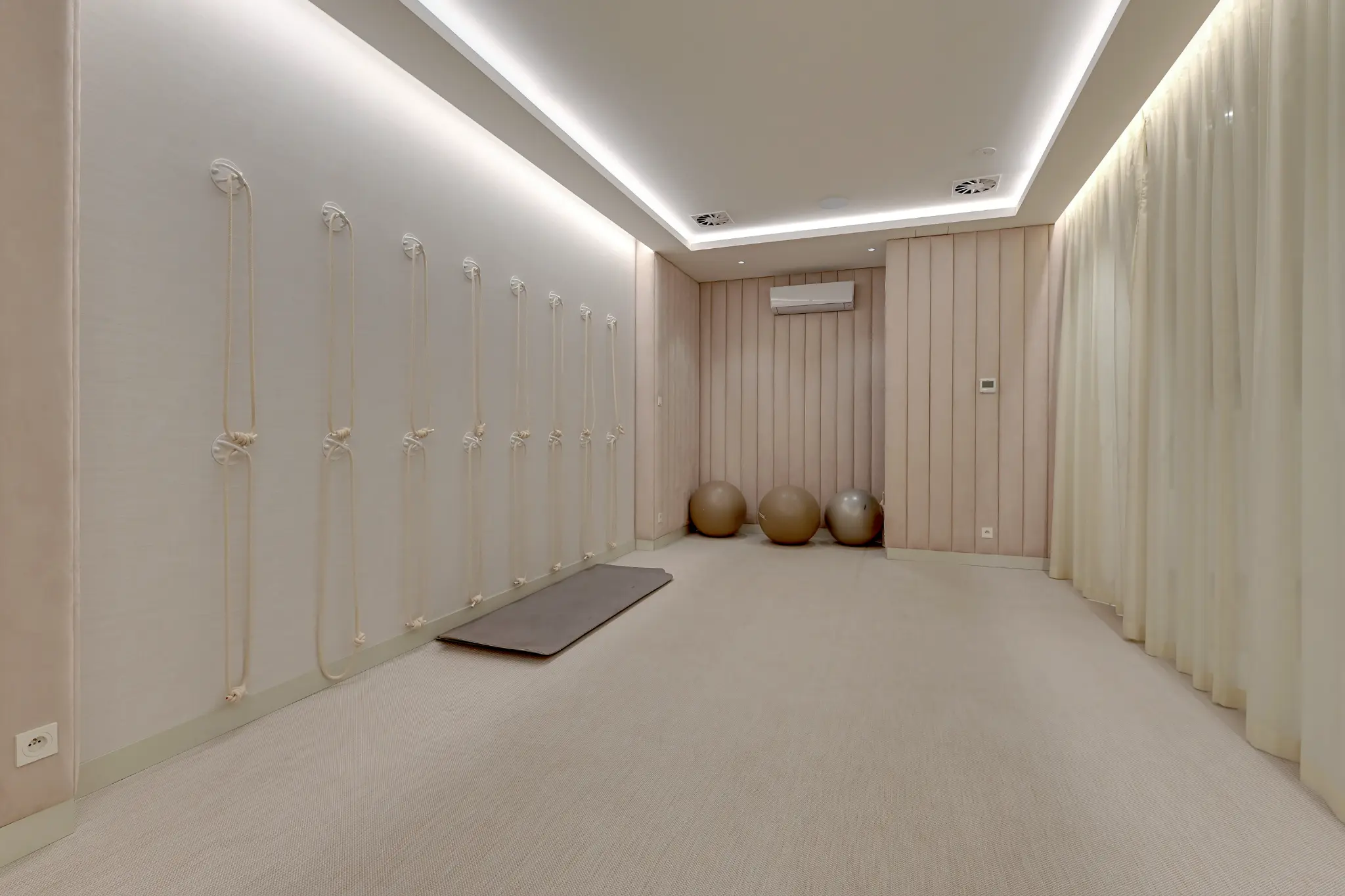
Illustrative photo. The image does not confirm that guests staying in a particular apartment can access the room.
Build evidence for the specific apartment
Start with a brief inspection of the apartment, not by copying the development brochure. Check the equipment in person and take up-to-date photos. For each appliance, find out whether it works and whether guests will have what they need for normal use: a remote control, instructions or the appropriate consumable. A washing machine in a locked utility room is not the same as a washing machine available during a stay.
A simple amenity record can be helpful. For each feature, note:
- exactly what you offer and where it is located;
- what confirms its condition and that it can be used;
- any restrictions, charges or booking rules that apply;
- when the information was checked and who should report changes.
There is no need to create an elaborate system. One well-organized document allows the owner and the person preparing the listing to work from the same information. Mark separately which details are confirmed, which are available subject to conditions, and which need clarification. The last group should not appear in the listing as a definite promise.
A shared area does not automatically mean guests have access
Amenities outside the apartment require the most care. A gym, sauna, terrace or parking may exist in the building and still not be available on the terms the owner wants to state in the listing. Check with the building manager or the entity operating the property whether rental guests may use the space and under what conditions. Keep written confirmation that relates to this particular apartment.
In a hypothetical situation, the owner has a gym access card but does not know whether it can be given to someone staying in the apartment. That is not enough to list gym access. First, clarify whether guests may use it, how they can enter and whether any restrictions apply. A photo of the room confirms what it looks like, not the user’s entitlement to access it.
Treat parking in the same way. Distinguish between a space assigned to the apartment, parking that depends on spaces being available, and parking outside the building. If you cannot guarantee a specific space, do not describe it as reserved for every booking.
Check what the field means instead of guessing from its name
Confirming that something is actually available is the first step. The second is to match that information to the platform’s documentation. In its official Help Center, Airbnb says that for a pool, hot tub or gym, you should specify whether the amenity is for the guest’s private use or shared with others.1 Simply indicating that the facility exists does not explain how it can be used.
Do not automatically carry your selections over from one service to another. Read the explanation for the specific field in the sales channel you use. If a label does not match the reality, choose a more suitable option or explain the available arrangement in the description without selecting an inaccurate feature.
This turns the list into a verified set of details rather than a collection of attractive claims. We discuss how to use them to create a reliable apartment description in a separate guide. Here, the key question is whether a particular feature qualifies to be claimed at all.
Check the entire route when assessing lifts and accessibility
The presence of a lift alone does not mean the entrance is step-free. Airbnb defines a step-free entrance by the entire route from the arrival point to the entrance of the property; for apartments, this also includes the parts of the building leading to it. The platform requires at least one clear photo for each accessibility feature you claim and reviews the photos against its guidelines before displaying the feature in the listing.2
So walk the route guests will actually take. Check the entrance from outside, the way to the lift and the apartment door. If the field requires a particular measurement or type of documentation, refer to the current definition rather than judging “by eye.”
A hypothetical apartment might have a lift but a few steps before the entrance to the stairwell. The honest information to provide in that case is that there is a lift, together with a description of the steps—not a general claim of accessibility. Specific photos and measurements help guests assess their own needs; do not replace them with a broad assurance that the apartment will suit everyone.
State restrictions before booking
If an amenity is available only under certain conditions, explain those conditions clearly. If a room is open at specific times, requires advance booking or involves an extra charge, establish those details before preparing the listing. Do not leave an important condition solely in the instructions sent after booking. Also check whether the platform’s field allows you to describe that availability accurately.
The conditions should be consistent across the amenities list, description and photo captions. As part of the listing presentation, it is worth comparing these elements. A photo of a shared terrace without an explanation should not suggest that it is a private space belonging to the apartment.
Pass the same information on to the people responsible for guest services. They need to know not only where the amenity is, but also how guests can access it and what to say if availability changes.
Update confirmations, not just photos
Check the list again whenever the equipment, access rules or information from the building manager changes. If you are told that an amenity is unavailable, first establish the extent of the problem and then update the relevant claims. If the change affects existing bookings, inform the person handling guest services so they can explain the situation to those affected.
Want to organize the amenities before entrusting your apartment to a management service? Prepare a list of the equipment and documents concerning shared areas. Talk to GrandRent about your specific apartment in Trójmiasto and the scope of cooperation. The initial conversation about entrusting the apartment for management is free of charge; additional services are agreed separately.
Technical sources
The article explains the rules and questions you should ask the operator. Rental results and cooperation terms require analysis of the specific apartment.